Overview
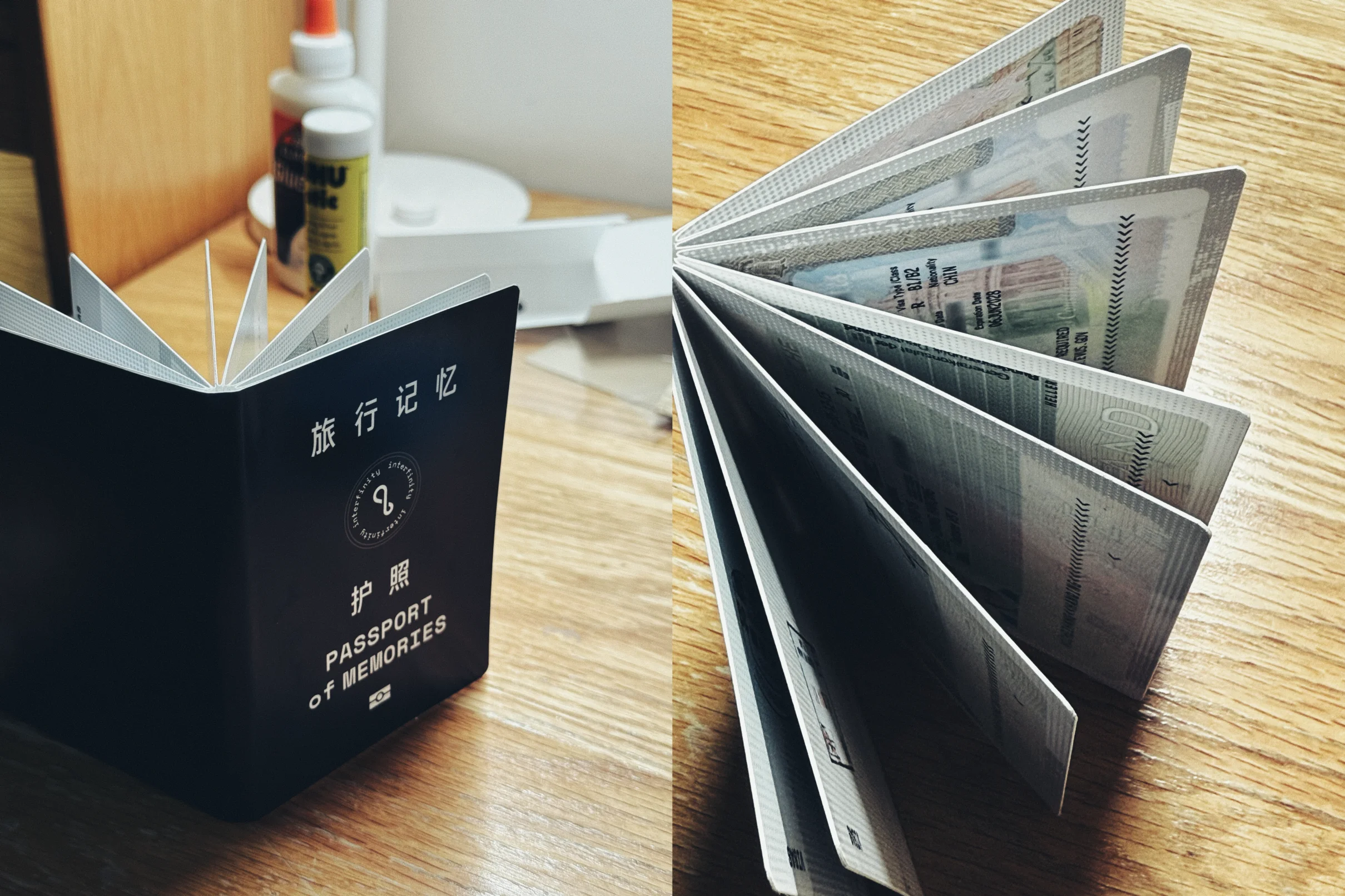
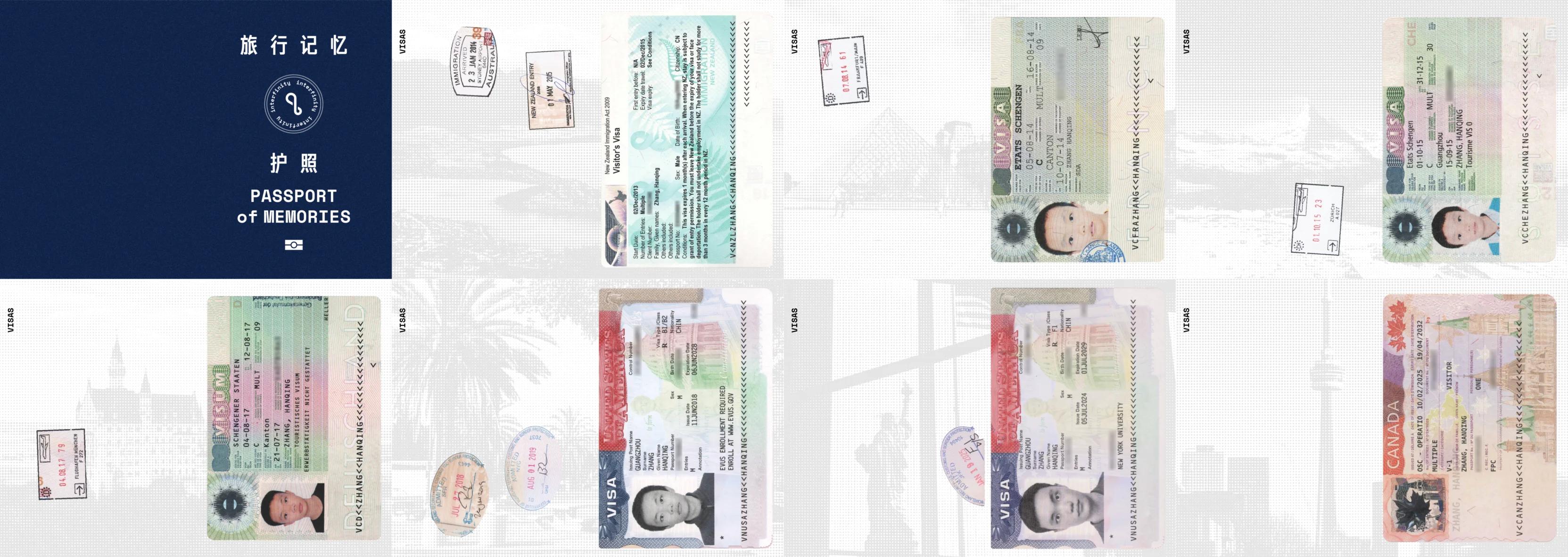
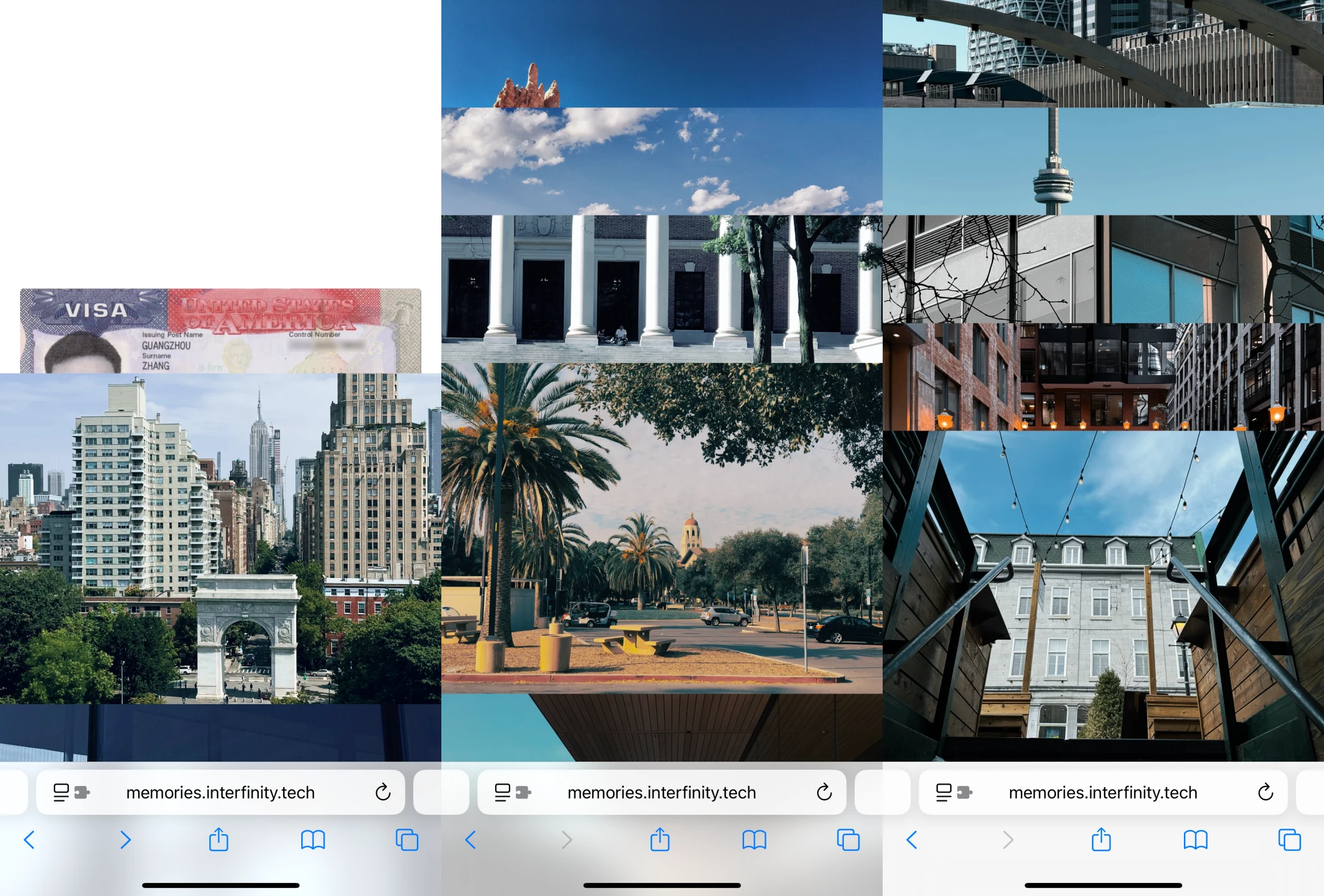
I want to create this book in the form of a passport and record my memories of travelling to different countries and places since I was a small child. As a Mainland China passport holder, I need a visa for traveling almost anywhere. But the hassles of getting a visa have never stopped my passion for travelling. In fact, each visa becomes a record of my memories for the specific travel experience. So I want to embrace this idea in the passport book. There's a scan of my actual visa on each page, behind which is a NFC chip, allowing the viewer to scan with there phone. The scan leads to a webpage with photos from the specific travel experience.
Decisions
First I had to decide on what to put on the physical page and what to put on the digital webpage. I believe printing photos on the page might affect the feel it being a passport rather than just a book. So I kept the passport minimal and show the photos on the webpage. However, I found that passports usually show different pattern designs as the background of each page, for example, my passport shows a photo of one province in the PRC on each page. I hope to integrate this idea too, so I placed a photograph from each of my travel experience on each page of the passport book. I processed each photo to have this dotted pattern style and in black and white.

This makes each page feel unique and convey the idea that the memories extend beyond just the visa without distracting the viewer. Besides, at first I thought mimicking the size of an actual passport would be too small. After receiving feedback from my friends, I decided to go with the passport size to create the immersive feeling of holding an actual passport.
Process & Reflection
The most challenging problem I faced during my process was the placement of the NFC tags. I wanted to embed it in each page so it won't act as a visual distraction. This means I have to stick together two sheets of paper as one page, raising the problem of thickness which I initially ignored.
In addition, the NFC tags would interfere when they are vertically above/below one another. At first I thought placing a metal foil would insulate the NFC tags, but after some experimentation, I realized that the normal NFC tags simply wouldn't work when placed on top of metal. So I went on amazon and searched for different alternatives and bought some "metal-resistant" NFC tags as well as a special RFID blocking sheet. However, the "metal-resistant" NFC tags are simply too thick to be embeded between to sheets of paper and the RFID blocking sheet would still affect my regular NFC tags.
I imagined work-arounds such as cutting a hole in a third sheet of paper and embedding the "metal-resistant" NFC tags so they don't extrude, and embed this third sheet within the two sheets for each page. But after printing out at the ITP Design Lab, I realized that the paper is too thick already for combining two layers into one page, not to mention three layers. So this turned out to be a dead end.
Eventually, I simply go with using my thinner regular NFC tags and requiring the viewer to hold the specific page alone to scan without any interference. With the book size being so small, this wasn't much of a problem. Although I could have experimented with more tags and more insulation sheets or reprinted the entire book with thinner paper to allow for a third layer, I ran out of time and had to go with what I have now.
Outcome
Links
- New Zealand https://memories.interfinity.tech/newzealand/
- France & Italy https://memories.interfinity.tech/france-and-italy/
- Switzerland https://memories.interfinity.tech/switzerland/
- Germany https://memories.interfinity.tech/germany/
- USA (First Time) https://memories.interfinity.tech/usa-i/
- USA (at NYU) https://memories.interfinity.tech/usa-ii/
- Canada https://memories.interfinity.tech/canada/